UE5 MetaHuman - Dina
Using Unreal Engine’s latest Mesh-to-MetaHuman technology, I recreated my friend Dina as a fully digital character, fully rigged for full-body and facial animation. Additionally, I explored retargeting animation skeletons and real-time motion capture using budget-friendly methods, software, and hardware.
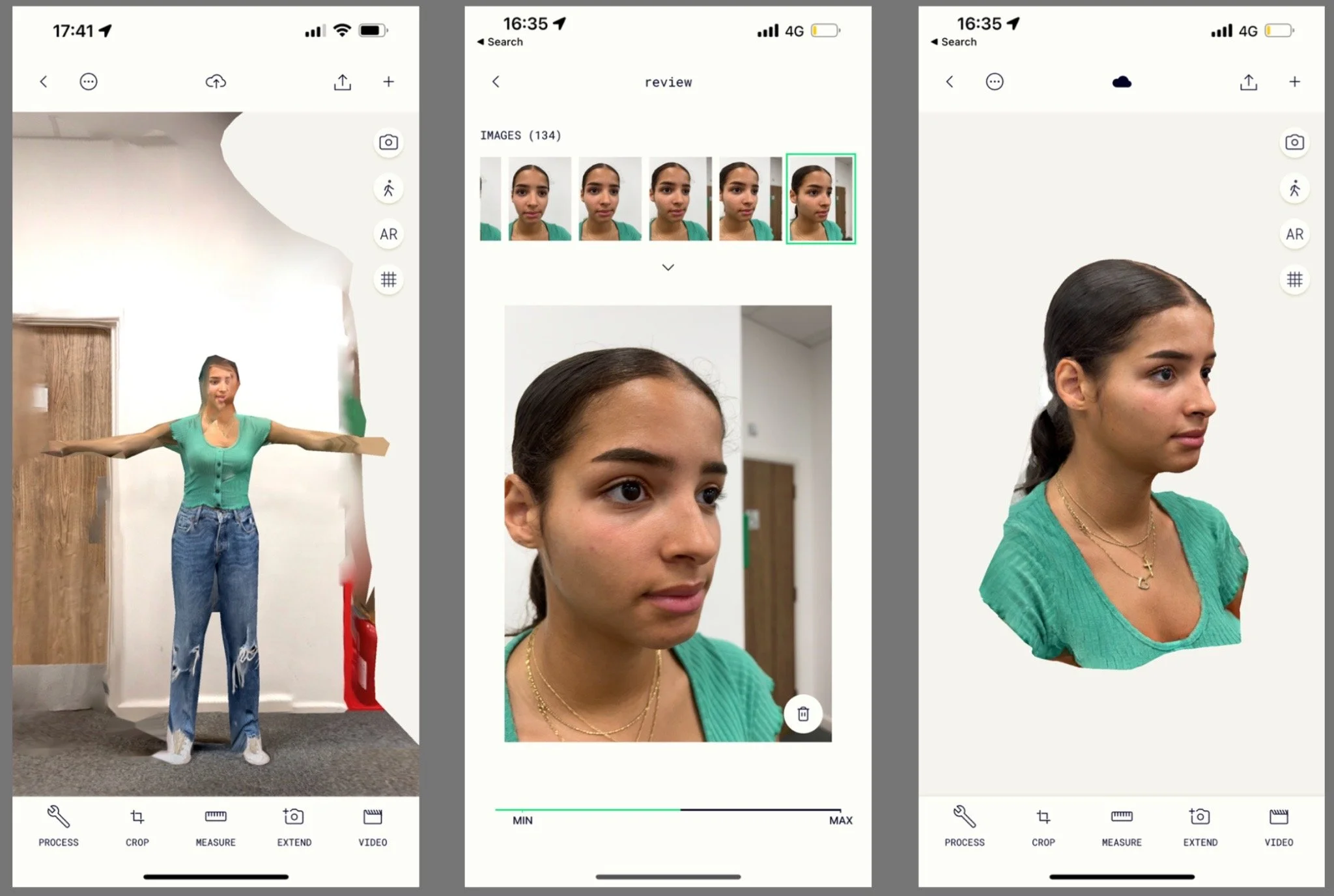
To begin turning Dina into a MetaHuman, I needed to obtain a 3D scan of her face. For this step, I used Polycam, an app on the App Store.
Initially, I considered using LiDAR scanning (available on my iPhone 13 Pro), as I knew it captures high-quality 3D scans, particularly of environments and objects. However, as you might see in the first image, LiDAR scanning proved less useful for scanning Dina. So, I switched to traditional photogrammetry.
In Polycam, I took 134 photographs of Dina. Whilst fewer pictures would have sufficed, having numerous photos from every angle would improve the accuracy of the final 3D scanned mesh, as shown in the final image.
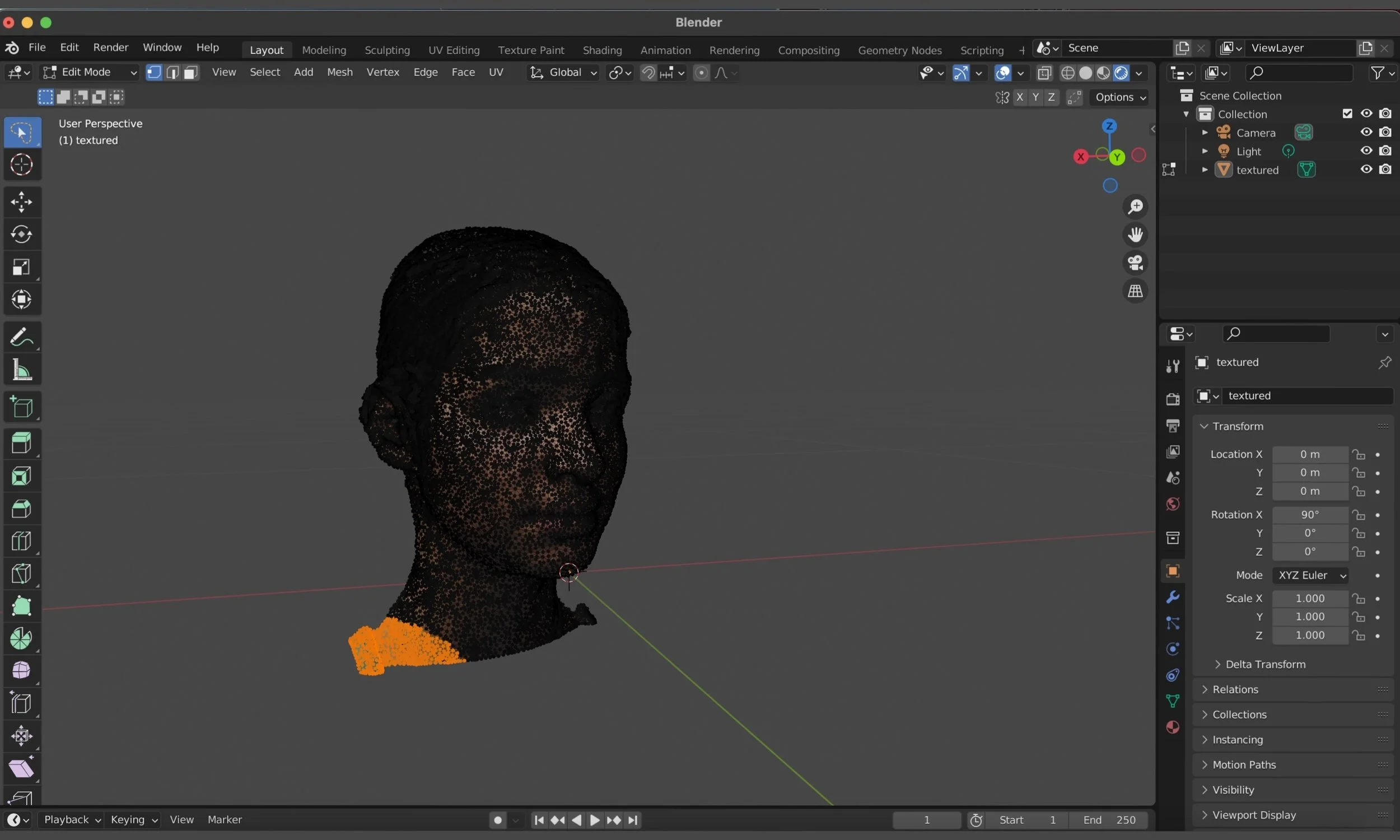
Once I had the 3D mesh of Dina, I imported it into Blender to clean it up and make it easier to transform it into a MetaHuman.
I started by removing sections of the scan that I knew were unnecessary for the transformation. Mesh to MetaHuman needs only face shape data, so there was no need to keep the shoulders, lower neck, or even the back of the head.
Additionally, whilst Dina had her hair tied up for the scan to reduce translation anomalies, I removed small areas where her hair was protruding from the mesh.
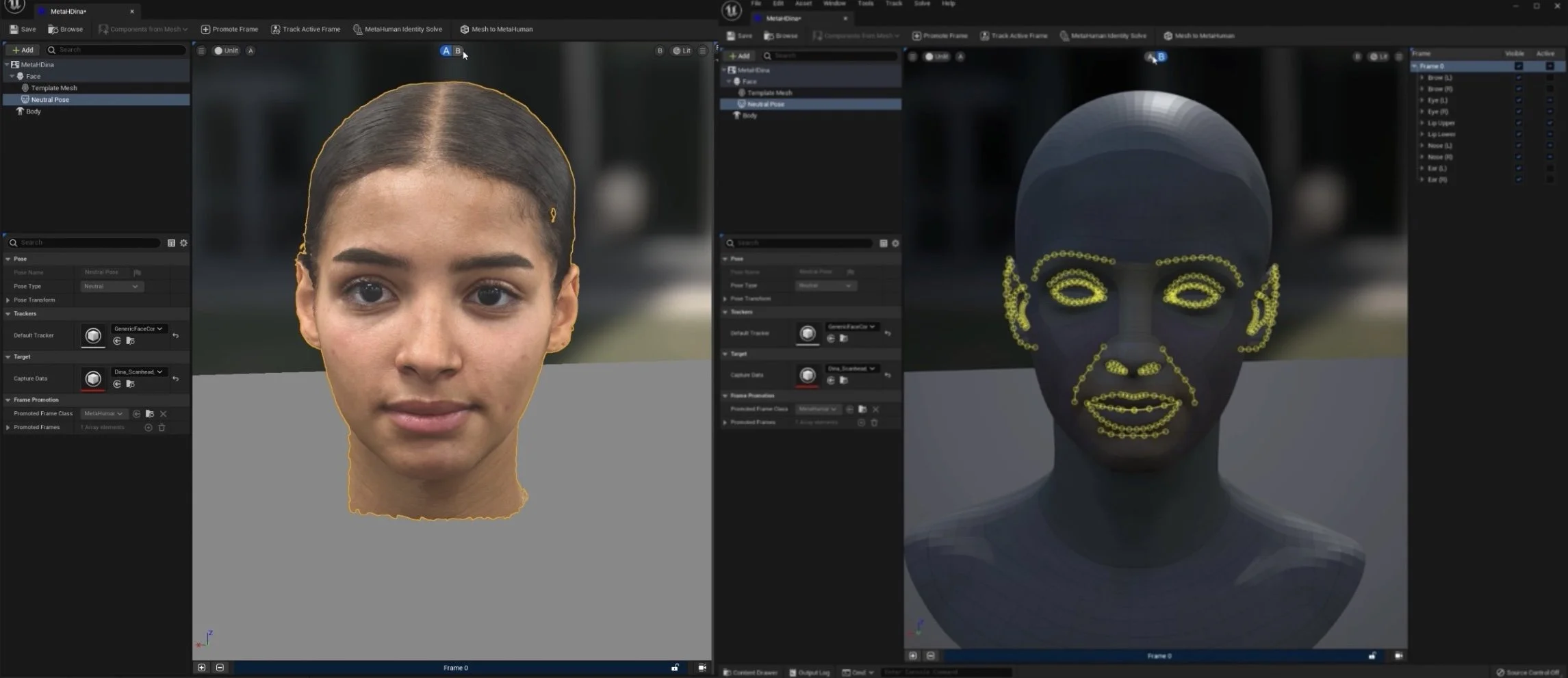
After the clean-up, it was time to move the scan to Unreal Engine.
Up until the recent update to Unreal Engine 5, MetaHumans could only be created within the Quixel Bridge application using a variety of MetaHuman presets and customisation sliders. Now, importing a 3D face scan directly into Unreal allows the engine to translate the mesh into a MetaHuman.
To do this, Unreal automatically maps out keystone features of the face, including the eyes and eyebrows, the ear, the mouth, and the nasal lines. I was then able to manually tweak it if the mapping doesn’t detect the features correctly.
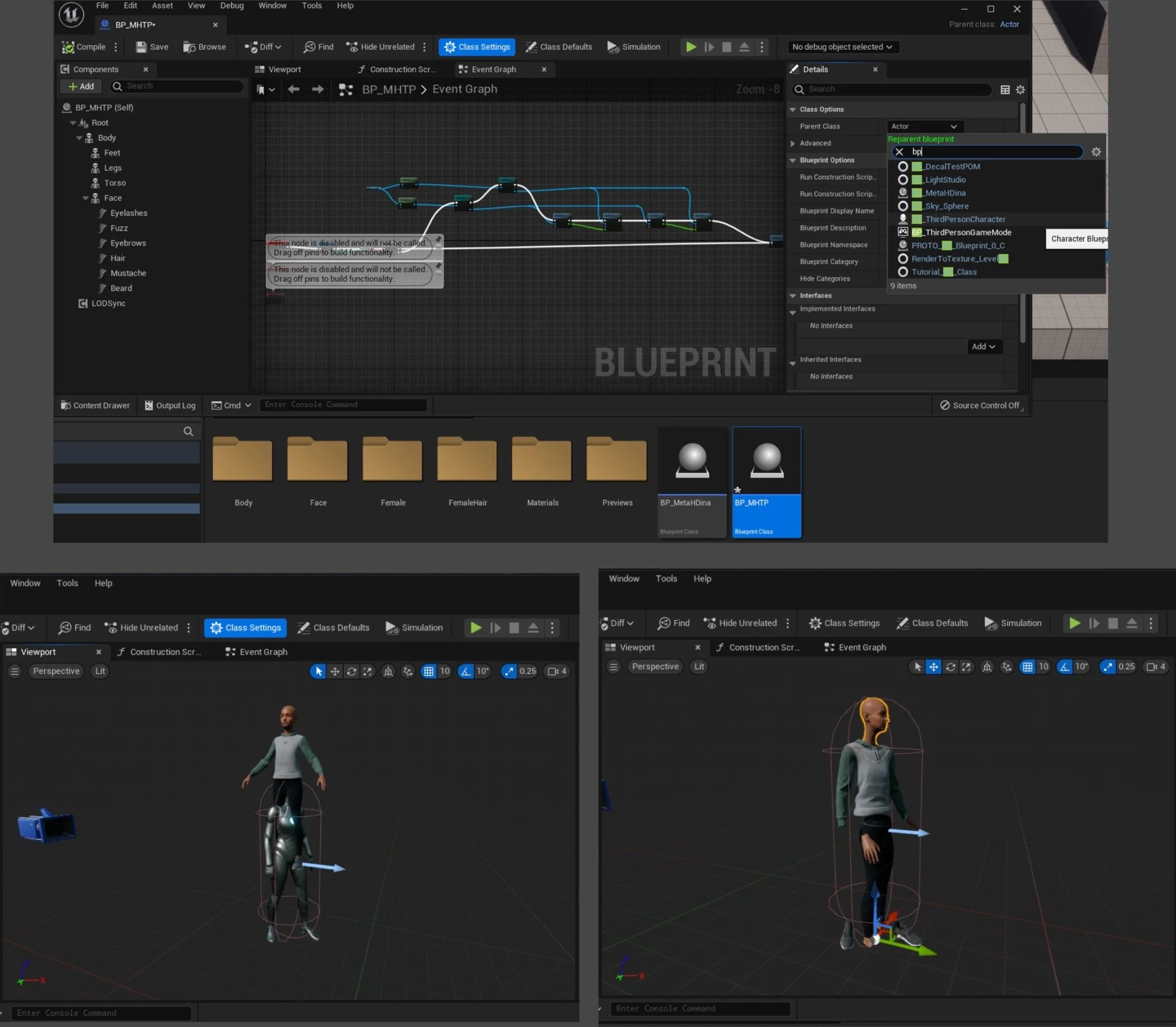
With Dina now fully transformed into a MetaHuman, I could import her into any Unreal Engine 5 project.
MetaHumans themselves come with fully rigged skeletons and are therefore ready for animations.
However, I set myself the task of switching the generic third-person character for Dina’s MetaHuman, which required retargeting Dina’s skeleton alongside altering the third-person player character blueprint.
I used an IKRetargeter to make a few small adjustments so the animations of the original third-person player character would work with the MetaHuman skeleton.
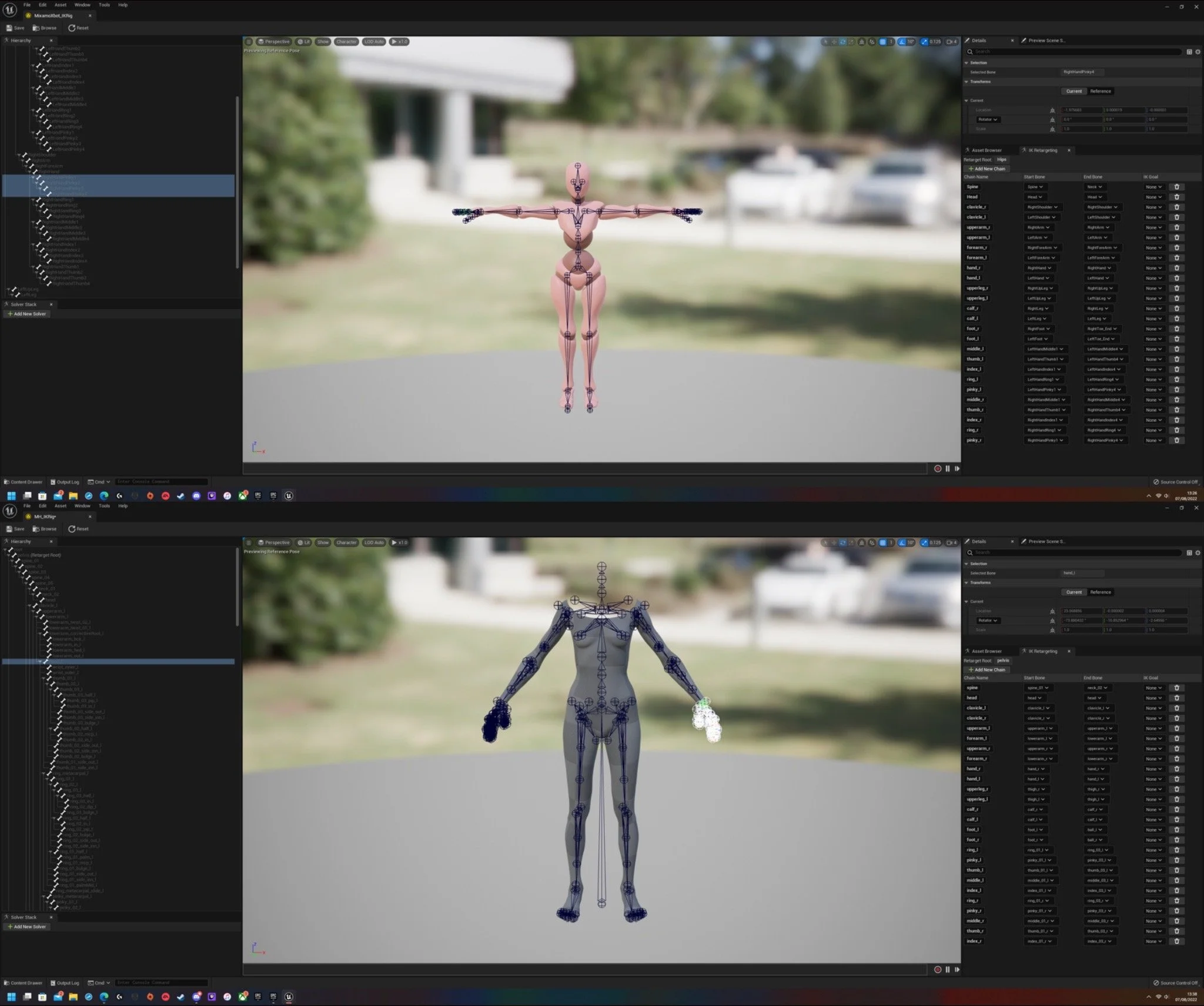
I then decided to apply some motion-captured animations to the MetaHuman. Mixamo hosts a huge selection of animations, which I used for this task.
To get the Mixamo animations to work with the MetaHuman rig, I again needed to retarget the skeletons to match. MetaHumans have far more bones than the Mixamo rig, so I often had to group bones under the same designation.
Because the Mixamo skeleton and the MetaHuman have different proportions, some animations resulted in clipping issues and an overall awkward posture. By making subtle adjustments to bones in the Retargeter, I was able to remedy this.